Ecommerce agencies
Manage accessibility monitoring across client storefronts, spot recurring template issues, and produce clearer evidence reports for retained support work.
Accessibility operations
AccessOps helps ecommerce, SaaS, and agency teams monitor key pages, track accessibility issues, and produce evidence reports for remediation conversations.
Start with high-value public pages such as homepages, product pages, pricing pages, checkout-adjacent flows, and client templates.
Automated accessibility monitoring evidence does not prove full accessibility compliance, but it can make accessibility work easier to manage, explain, and repeat.
Demo workspace
Projects
3
Open issues
18
Serious
6
Product page
4 issues
Pricing page
2 issues
Checkout-adjacent page
pending
Problem
Teams often run accessibility checks, export a list of issues, and then struggle to keep track of what was fixed, what returned, and what still needs attention. Reports are hard to maintain, issue ownership is unclear, and recurring problems can slip back into production.
Solution
AccessOps turns monitored URLs, scans, issues, notes, and reports into one simple workflow. Teams can see what was scanned, what was found, how severe each issue is, when it first appeared, when it was last seen, and what remediation notes have been captured.
Who it is for
Manage accessibility monitoring across client storefronts, spot recurring template issues, and produce clearer evidence reports for retained support work.
Monitor key customer journeys such as homepages, product pages, category pages, and checkout-adjacent experiences.
Track accessibility issues across product marketing pages and important public web flows when enterprise or public-sector buyers ask for accessibility evidence.
How it works
Step 1
Create a project for a website, product, or client.
Step 2
Add important public URLs to monitor.
Step 3
Start a scan and review page-level results.
Step 4
Triage accessibility issues by severity and status.
Step 5
Add notes to capture remediation context.
Step 6
Export organisation or project reports for stakeholders.
Product preview
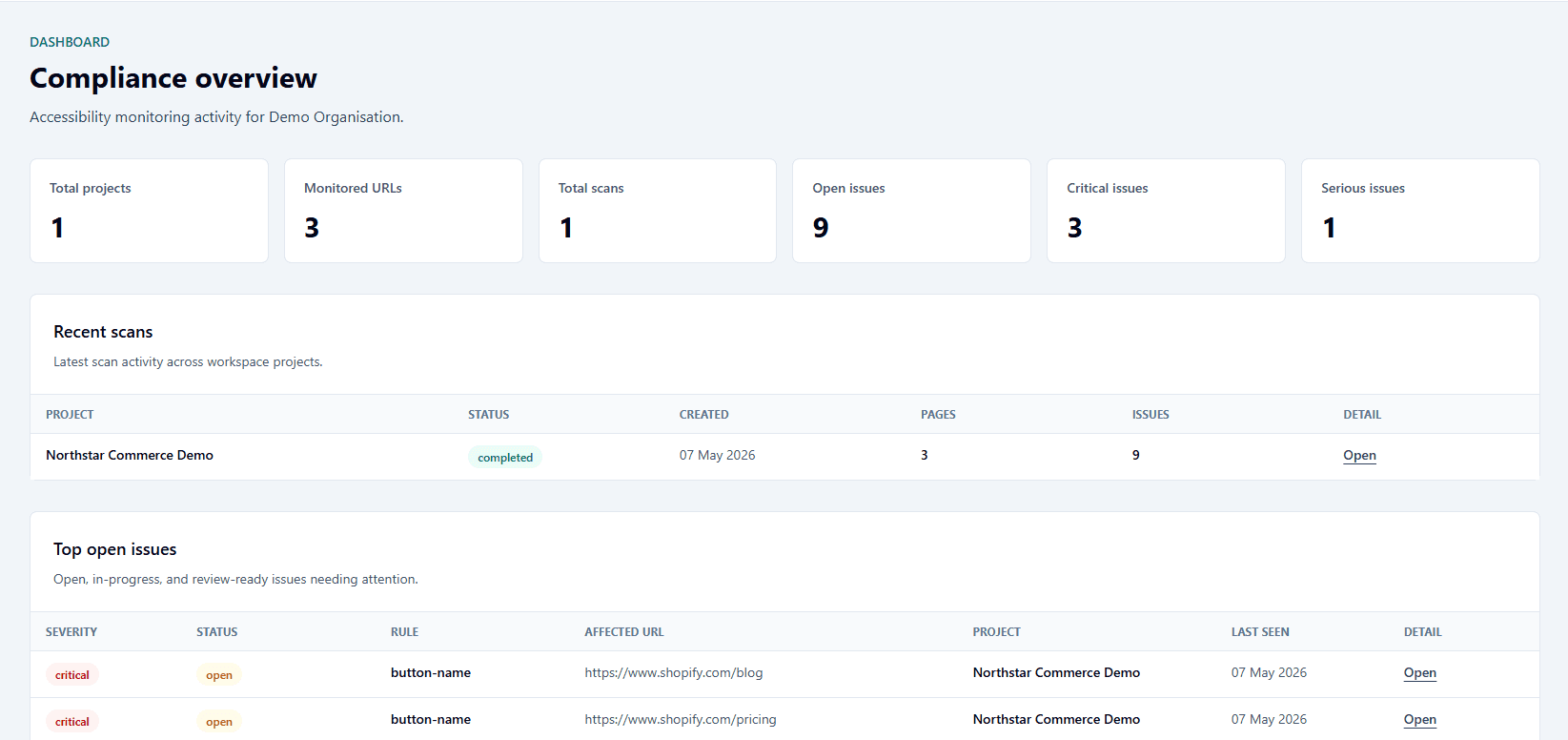
Track projects, monitored URLs, recent scans, and open issues in one operating view.
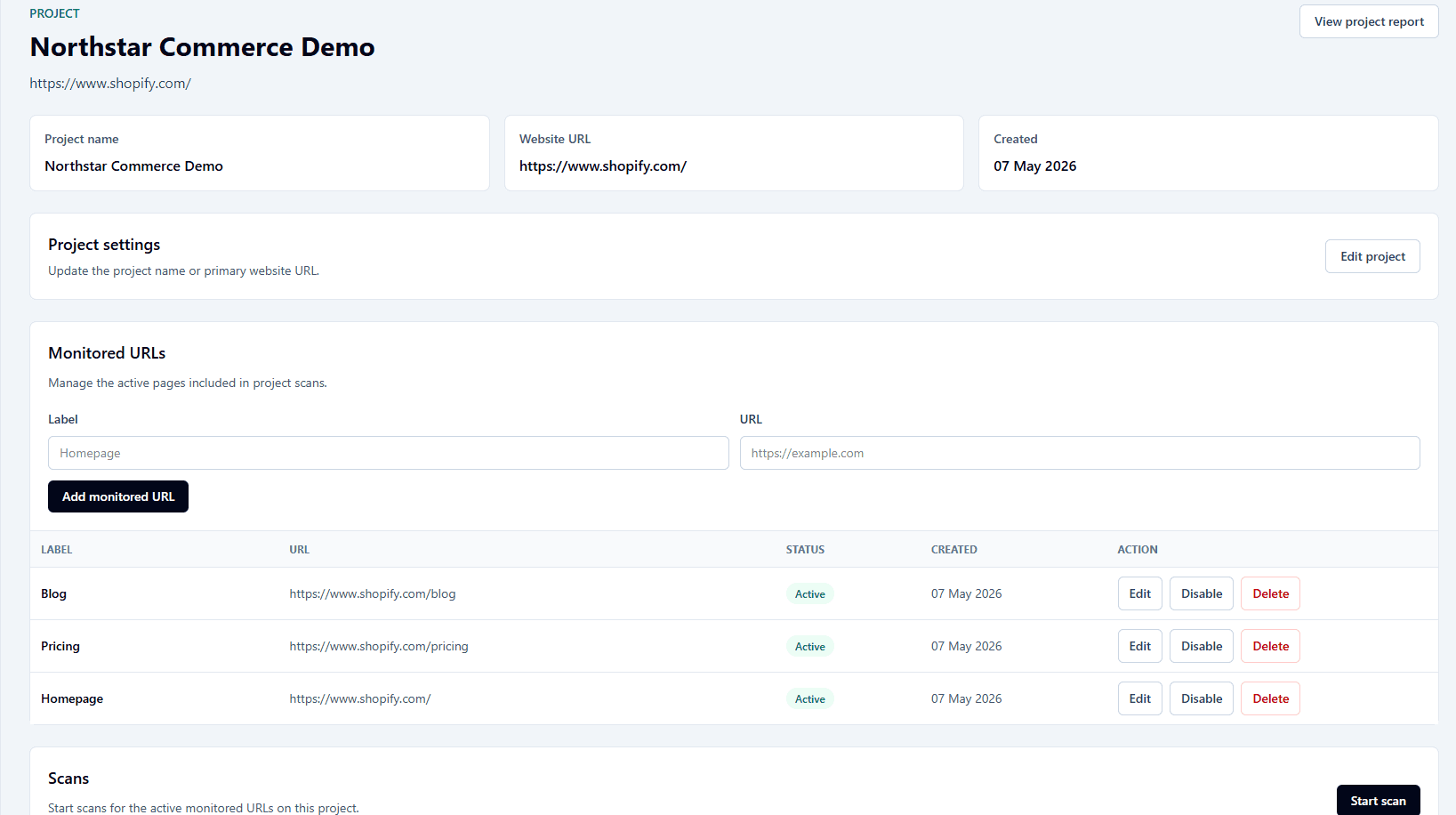
Manage monitored URLs, start scans, and open project-specific reports.
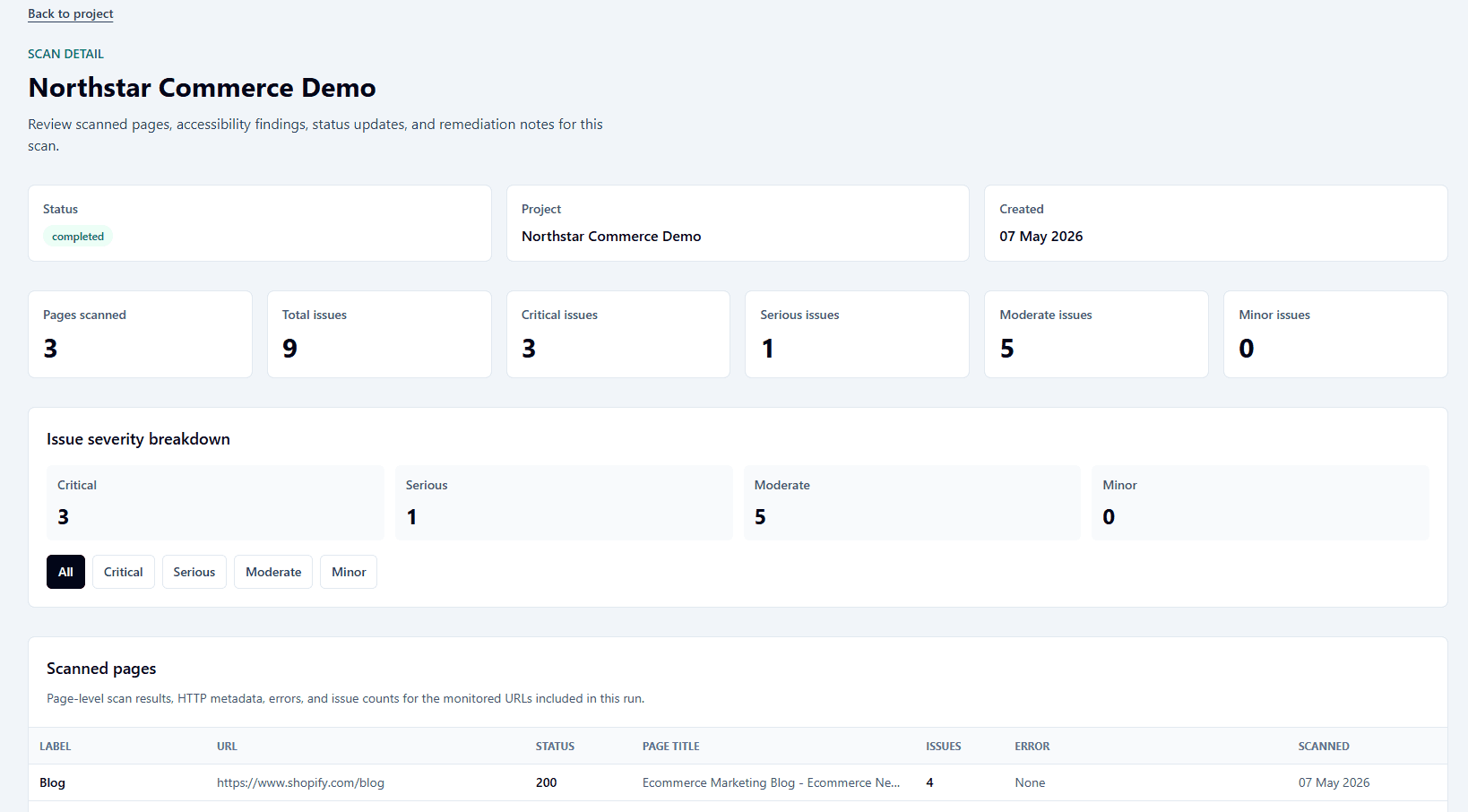
Review scanned pages, severity breakdowns, issue status, and remediation notes.
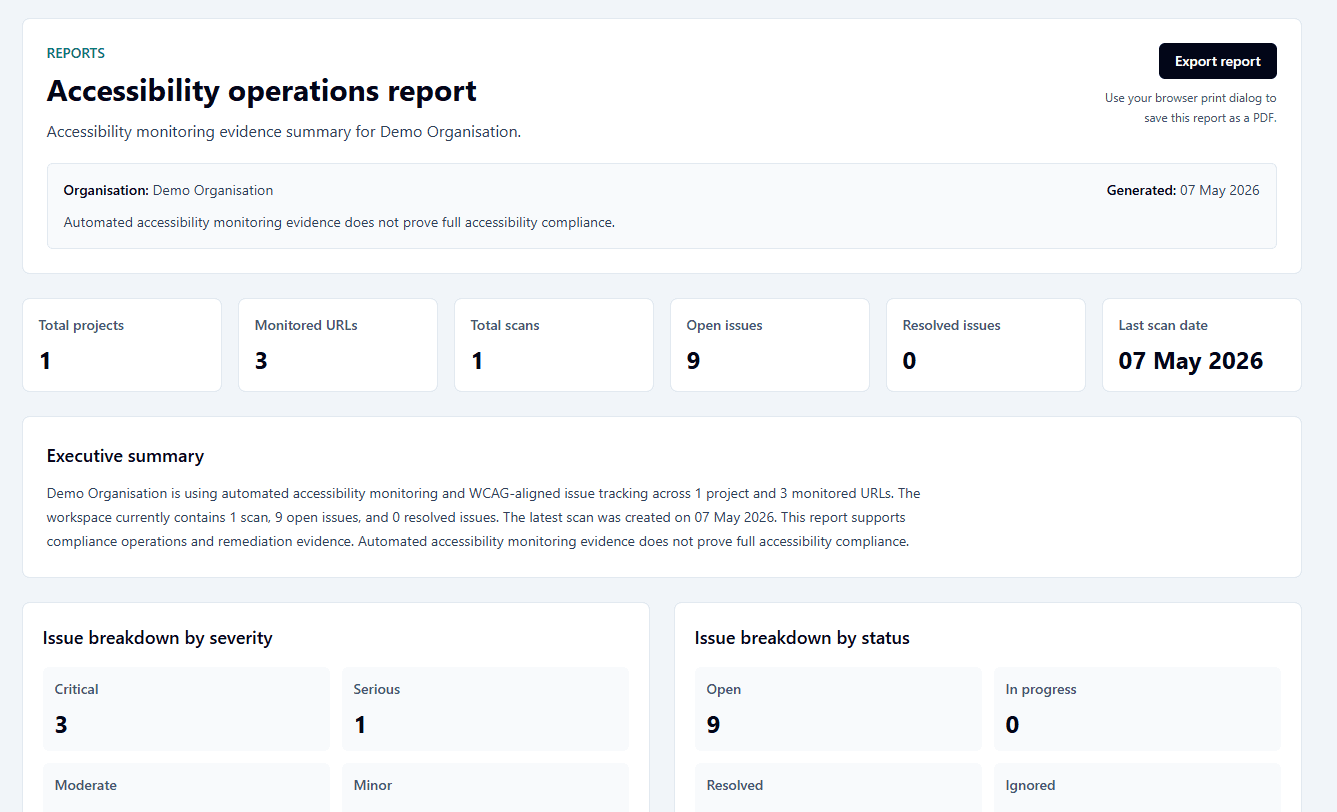
Produce lightweight evidence reports for internal updates, client conversations, and remediation tracking.
Evidence reports
AccessOps creates organisation and project reports that summarise monitored URLs, scan history, issue severity, issue status, and top open findings. Reports can be exported through browser print/PDF for easy sharing.
These reports are designed to support accessibility operations and stakeholder communication. They are not legal certifications.
Project accessibility report
Generated evidence summary
Open issues
12
Resolved
12
Last scan
Today
Built for monitoring, not certification
AccessOps should be used alongside manual testing, expert review, and organisation-specific compliance guidance.
Private preview
Book a short discovery call and review a sample monitoring report.